
Connect your WhatsApp number
Link a WhatsApp Business number through Meta in about ten minutes — and keep using the WhatsApp Business app on your phone if you want to. About 10 minutes.
Before you start
- A plan or the free trial is active (Billing → Start free trial).
- You can sign in to the Facebook account that runs your business. It needs a Meta business portfolio — you can create one free at business.facebook.com during setup.
- The phone with this number is nearby: Meta checks it with a code or a QR scan.
- A personal WhatsApp account (the green app) cannot be connected. Move it to the free WhatsApp Business app first — your chats are kept.
1.Open Settings → Channels
Under “Connect your first channel”, open WhatsApp number. Read “Before you start”, then pick where the number is today.
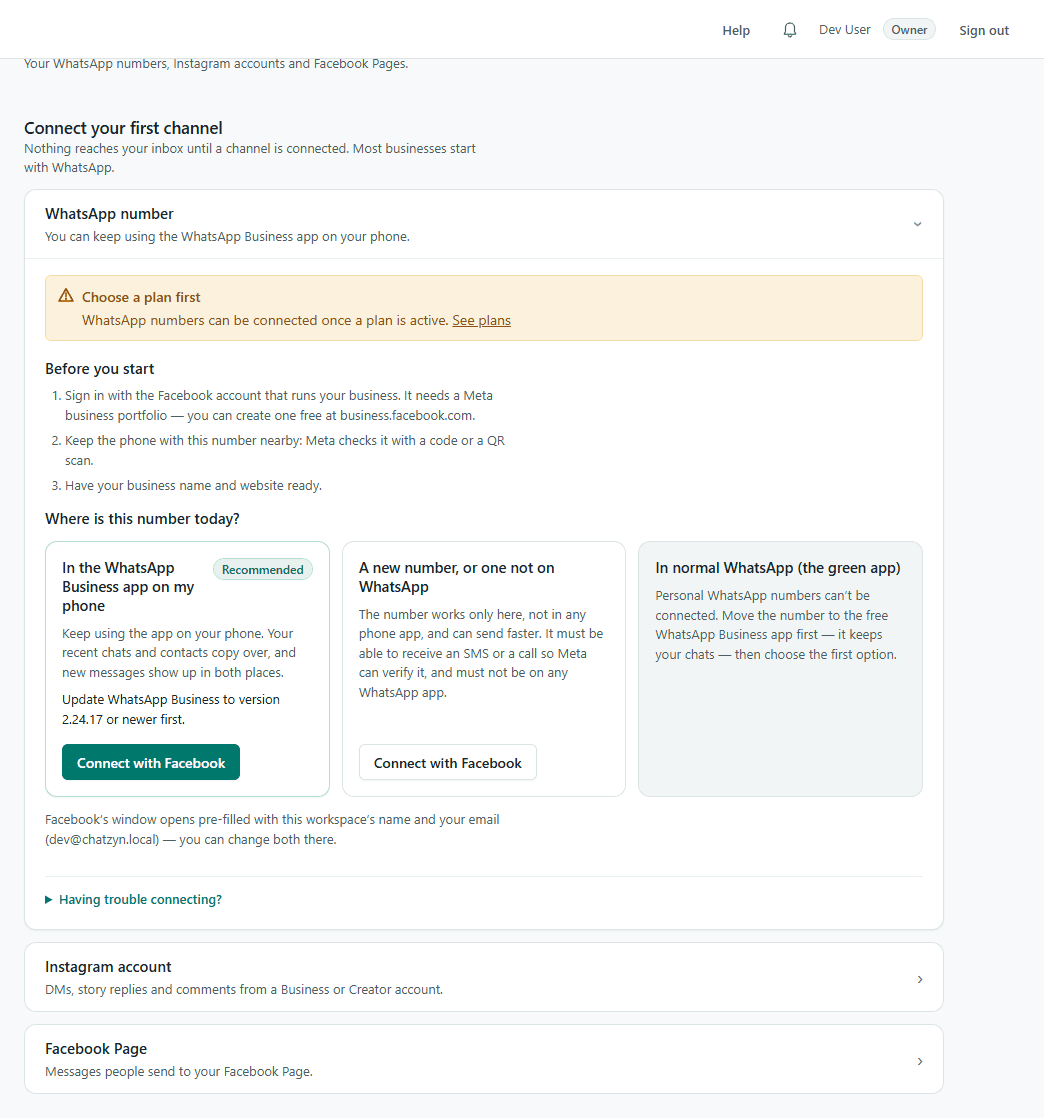
2.Choose the right option and press “Connect with Facebook”
In the WhatsApp Business app on my phone (recommended): keep using the app — recent chats and contacts copy over and new messages show in both places. Update WhatsApp Business to 2.24.17 or newer first. A new number, or one not on WhatsApp: the number works only here and can send faster; it must be able to receive an SMS or call.
3.Finish Meta's window
Meta's window opens pre-filled with your workspace name and email. Sign in, choose or create your business portfolio, choose or create the WhatsApp Business account, then add the number and verify it with the code Meta sends (or scan the QR code in the WhatsApp Business app). Finish every step before closing the window.
4.Check the number is live
Back on Channels the number shows as active. Send it a WhatsApp message from another phone — it arrives in Inbox within seconds.
If something goes wrong
The window closed or never opened
Allow pop-ups for this site in your browser and press “Connect with Facebook” again. On a phone, use the desktop site.
“Renew access” appears on the number
Meta's access for a connected number lasts about 60 days. Press “Renew access” on the number and sign in with Facebook again. Until you do, sending stops and photos customers send cannot be downloaded.
The number is with another provider
Ask that provider to release or migrate it first; a number can be connected to one provider at a time.
Still stuck?
Open the Help button inside the app and press “Talk to a person” — we'll connect it with you.